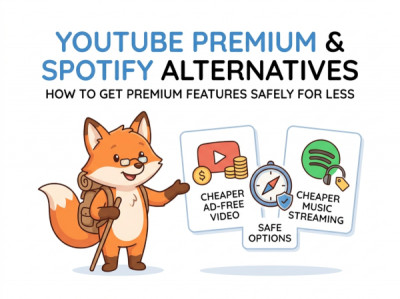
YouTube Premium & Spotify Alternatives: How to Get Premium Features Safely for Less
Digital entertainment has become an expensive web of monthly commitments. Just when you settle on a platform, prices increase, terms of service change, and your entertainment budget takes another hit. Premium tiers for video and music streaming are pushing consumers toward subscription fatigue. But what if you could access those exact same high-quality experiences, background play options, and ad-free ecosystems without paying top-tier prices?
Welcome to The Premium Streaming Alternative Guide. You do not need to rely on sketchy, virus-laden third-party applications or shady account sellers who steal your personal data to bypass corporate paywalls. By leveraging open-source digital tools, geographic optimizations, and privacy-focused browsers, you can recreate the ultimate premium experience securely and legally. Today, we will show you how to outsmart corporate price hikes while keeping your digital footprint completely safe.
The Mechanics of Modern Ad Injections (And Their Structural Flaws)
Major multimedia platforms inject promotional scripts directly into their media streams using automated delivery algorithms. When you watch a video or listen to a playlist, a tracker checks your account status. If the "Premium" flag is missing, the system pauses your media and forces an advertisement to load. Bypassing this does not require breaking encryption; it simply requires using interfaces that refuse to execute the ad tracking script in the first place.
The 4-Step Blueprint to Optimize Video and Audio Playback
To safely recreate premium-level features like background audio playback and zero ad interruptions on your mobile or desktop devices, implement these clean tactical configurations:
- Step 1: Switch to a Privacy-Centric, Script-Blocking Browser. Download mobile browsers equipped with built-in native content filtering engines. When you load video platforms through these browsers instead of official applications, video ads are blocked entirely at the network level.
- Step 2: Enable Desktop Mode for Mobile Background Play. To bypass paywalled mobile background restrictions, load your media platform inside your mobile browser, request the "Desktop Site" view via settings, start your video, and head to your phone's home screen. Simply pull down your system control center and hit "Play" on the media widget.
- Step 3: Pivot to Decentralized Open-Source Front-Ends. Use community-audited desktop interfaces and media player plugins that stream public content without data tracking. They run entirely on open-source code, meaning they contain no hidden malware or corporate analytical telemetry.
- Step 4: Audit High-Quality Free Music Portals. For pure music streaming, utilize platforms that offer free tier high-fidelity audio options paired with desktop ad-blockers, or rely on public library partnerships (like Hoopla or Kanopy) that give you access to premium audiobooks and movies entirely for free using a library card.
Subscription Optimization Matrix
Evaluating your streaming workflow helps you identify where you can completely replace standard commercial native applications with smarter, cleaner alternatives.
| Desired Premium Feature | Traditional Paid Cost | Smart Safe Alternative Method | Security Level |
|---|---|---|---|
| Ad-Free Video Playback | $13.99 - $18.99 / Mo | Privacy Browser with native content filtering engine | Very High (Safe) |
| Background Mobile Audio | Paid Premium Apps | Desktop Site Request via Mobile Browser Tweak | Very High (Safe) |
| Offline Media Downloads | Paid Subscription Tiers | Open-source terminal grabbers and command-line download tools | High (Requires technical verification) |
| On-Demand Music Playlists | $10.99 - $16.99 / Mo | Free Web Player combined with robust script-blocking extensions | Very High (Safe) |
How to Manage Platform Changes Without Breaking Rules
Corporate entities continuously update their applications to break standard ad-blocking extensions. If your favorite privacy browser suddenly shows an ad or restricts playback speed, do not panic. Use these backup mitigation strategies to restore your optimized experience:
1. Clear Your Browser's Filter Cache Instantly
Content delivery systems constantly mutate their ad scripts to sneak past network blocks. When this occurs, your browser's filtering rules need a rapid update. Open your browser's advanced extension settings, navigate to the dashboard, click "Purge All Caches," and select "Update Now." This pulls down the latest community-generated scripts designed to nullify the platform's newest ad injection patch within seconds.
2. Leverage the Open-Source Platform Migration Script
If you decide to leave a major commercial music platform for a community-driven alternative, you do not have to recreate your years of curated playlists manually. Use this exact communication logic when configuring open-source playlist transfer scripts on a secure terminal:
Using locally run transfer scripts ensures your personal account passwords and sensitive listening history are never processed by external third-party servers, keeping your financial logins completely insulated from data leaks.