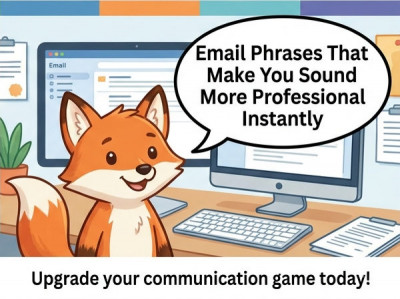
Email Phrases That Make You Sound More Professional Instantly
In professional communication, people often assume competence is judged by big achievements or complex language.
In reality, small details—especially email phrasing—can significantly influence how others perceive your professionalism.
A well-written email builds trust, reduces misunderstandings, and helps you sound more confident even before your work is reviewed.
The good news is you don’t need corporate jargon or overly formal language to sound professional.
You just need the right phrases in the right context.
Why Email Language Matters More Than You Think
Emails are often the first impression you make in a workplace setting.
Managers, clients, and colleagues often judge reliability based on written communication alone.
Unclear or overly casual emails can lead to:
- Misunderstandings
- Perceived lack of attention to detail
- Delayed responses
- Reduced trust in your work
On the other hand, structured and professional phrasing increases clarity and authority.
Simple Phrases That Instantly Sound More Professional
One of the fastest ways to upgrade your emails is replacing casual phrases with more structured alternatives.
| Casual Phrase | Professional Alternative |
|---|---|
| “Just checking in” | “I wanted to follow up regarding…” |
| “Let me know” | “Please let me know at your earliest convenience” |
| “Sorry for the delay” | “Thank you for your patience” |
| “I think” | “I believe” / “It appears that” |
| “Can you” | “Could you please” |
| “No problem” | “Happy to help” |
| “ASAP” | “At your earliest convenience” |
These small adjustments immediately improve tone without changing meaning.
The Power of Opening Lines
The first sentence of your email sets the tone for the entire message.
Strong opening lines help establish clarity and purpose.
Better Email Openings
- “I hope this message finds you well.” (neutral, widely accepted)
- “I’m reaching out regarding…”
- “Following up on our previous conversation…”
- “I wanted to bring your attention to…”
- “Thank you for your time on this matter.”
A clear opening reduces confusion and improves response rates.
How to Sound Confident Without Sounding Aggressive
Many beginners either sound too soft or too forceful in emails.
The key is balanced language.
Instead of absolute statements, use softened but confident phrasing.
| Too Weak | Too Strong | Balanced Professional |
|---|---|---|
| “I guess we could try…” | “This is the only way…” | “I recommend considering…” |
| “Sorry to bother you” | “You must respond” | “When you have a moment…” |
| “Maybe this works” | “This is definitely correct” | “This approach may work well” |
Balanced phrasing shows confidence without pressure.
Professional Ways to Make Requests
Requests are one of the most common parts of workplace emails.
Using polite structure improves cooperation and response rates.
Instead of direct commands, use collaborative phrasing.
Better Request Formats
- “Could you please review this when you have a moment?”
- “Would you be able to confirm…”
- “I would appreciate your feedback on…”
- “Please let me know your thoughts when convenient.”
This approach makes communication feel respectful rather than demanding.
The Importance of Clear Email Structure
Professional emails are not just about wording—they are also about organization.
A well-structured email reduces cognitive load for the reader.
Simple structure:
- Purpose (why you are writing)
- Context (background if needed)
- Request or action
- Closing
Keeping emails structured increases readability and response speed.
Polite Closings That Leave a Good Impression
How you end your email matters just as much as how you begin it.
Professional Email Closings
- “Kind regards,”
- “Best regards,”
- “Thank you for your time,”
- “Looking forward to your response,”
- “Appreciate your help,”
A strong closing reinforces professionalism and respect.
The Most Common Email Mistakes Professionals Make
Even experienced professionals sometimes make avoidable communication errors.
Common mistakes include:
- Writing overly long paragraphs
- Using unclear subject lines
- Being too casual in tone
- Missing clear action requests
- Forgetting context for new recipients
Each of these reduces clarity and increases back-and-forth communication.
How Subject Lines Influence Perception
Subject lines are often underestimated, but they determine whether your email gets opened quickly.
Better Subject Line Examples
- “Update on Project Timeline”
- “Request for Feedback – Marketing Proposal”
- “Follow-up: Meeting Summary”
- “Action Required: Invoice Review”
Clear subject lines improve response speed and prioritization.
When Simplicity Is Better Than Formality
Professional does not mean complicated.
Overly complex language can reduce clarity and create confusion.
The best emails are:
- Simple
- Direct
- Respectful
- Easy to scan
Clarity always outperforms unnecessary formality.
The Smart Communication Habit Most People Ignore
Many professionals focus on improving skills but ignore communication efficiency.
However, better emails often lead to faster approvals, smoother collaboration, and stronger workplace relationships.
Clear communication is a productivity multiplier.
The Final Rule of Professional Email Writing
The goal is not to sound impressive.
The goal is to sound clear, reliable, and easy to work with.
Small changes in phrasing can dramatically improve how others perceive your professionalism.
Once you build these habits, they become automatic—and your communication begins to reflect confidence without effort.